Lightroom Presets for Painterly & Dreamy Edits
There’s something undeniably captivating about painterly, dreamy photography. Images that feel soft, ethereal, and timeless, as if each image were brushed into existence. Achieving that look, however, takes more than just good lighting or a perfect lens; it’s about mastering tone, color, and texture in post-production. That’s where the right Lightroom presets come in. In this article, we’ll explore some of the best Lightroom presets for creating painterly and dreamy edits, helping you transform your photos into artful, emotive images full of depth, glow, and atmosphere.
If it Ain’t Baroque…
These Lightroom presets from Archipelago Quest are inspired by warm, romantic, intentionally soft oil paintings.
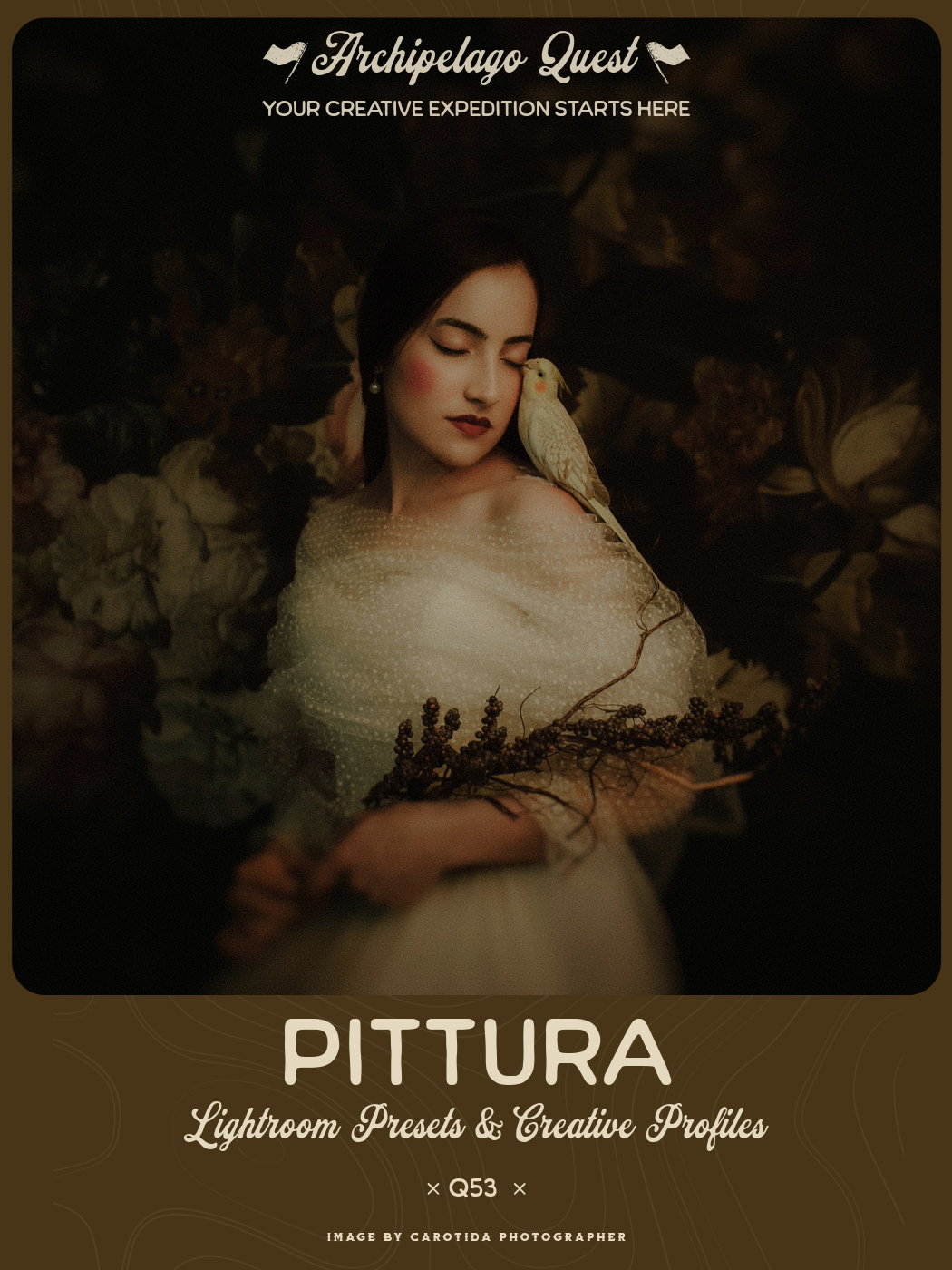
Pittura draws inspiration from the soft luminosity and tonal depth of classical paintings — transforming portraits and still lifes into rich, tactile compositions.
Featuring three distinct painterly color grades, Pittura captures the warmth of aged pigments, the gentle diffusion of sfumato, and the quiet drama of chiaroscuro light. Each variation has been carefully sculpted to mirror the layered depth of traditional art — where tones blend like brushstrokes and light settles into the image as though absorbed by the canvas.
Included with the set are creative tools designed to subtly soften, enrich, and texturize your images — creating an authentic, artful finish that echoes the timeless beauty of painted light.
Quest 53 Pittura takes your images from sharp, digital crispness to Baroque portrait in only one click. The included tools help shape the look even further, giving you a beautiful painterly edit.
Image by Soko Photos
Image by Soko Photos
Edited with Quest 53 Pittura, Aged Varnish, Canvas Texture, Sfumato
Image by Mariola Zoladz
Edited with Quest 53 Pittura, Canvas Texture
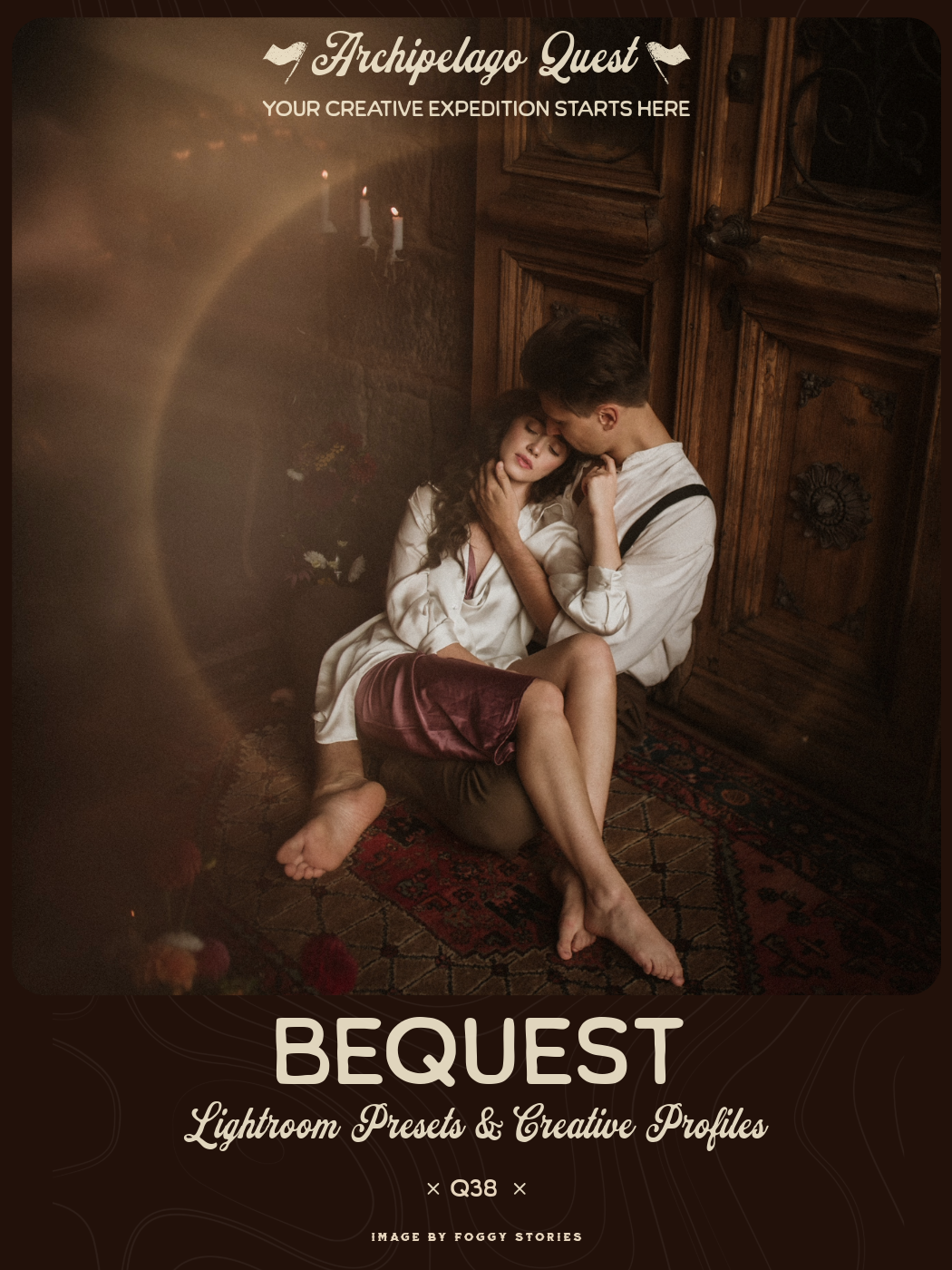
BeQuest Presets transport you to a warm, romantic dreamworld where glimpses of lovers dance by candlelight and live happily ever after in the space between sunset and dusk. Your images take on the baroque look of legacies past, with an amorous glow, mood, and remarkable Aurae effect reminiscent of the incandescent light of eclipse totality.
BeQuest 01 - Overall rosy and warm tones like the aged varnish of a baroque painting, with crushed shadows, softened, amorous details, forest greens, and periwinkle blues.
BeQuest 02 - Variation with added moodiness from deepened shadows and olive patina
BeQuest 03 - Variation with added mood and lifted shadow detail and warmth
BeQuest Creative Profile - Lower the BeQuest Profile for cooler tones and flattened highlights, raise the profile for added golden warmth and highlight glow
Aurae H and V - Halo-like, solar eclipse ring effect that can encircle your subject or another part of your image. Make sure you use the preset slider to increase or decrease the intensity of the effect, and move the mask using the masking panel.
Romantic, warm, glowy halo effect… need we say more?
Image by Cecilia Nava
Edited with Quest 38 BeQuest, Black Mist 2 from Quest Tools 11 - Diffusion FIlters
Moody & Glowy
Lightroom presets that lean into a moodier, cinematic vibe with halation and dreamy glow.
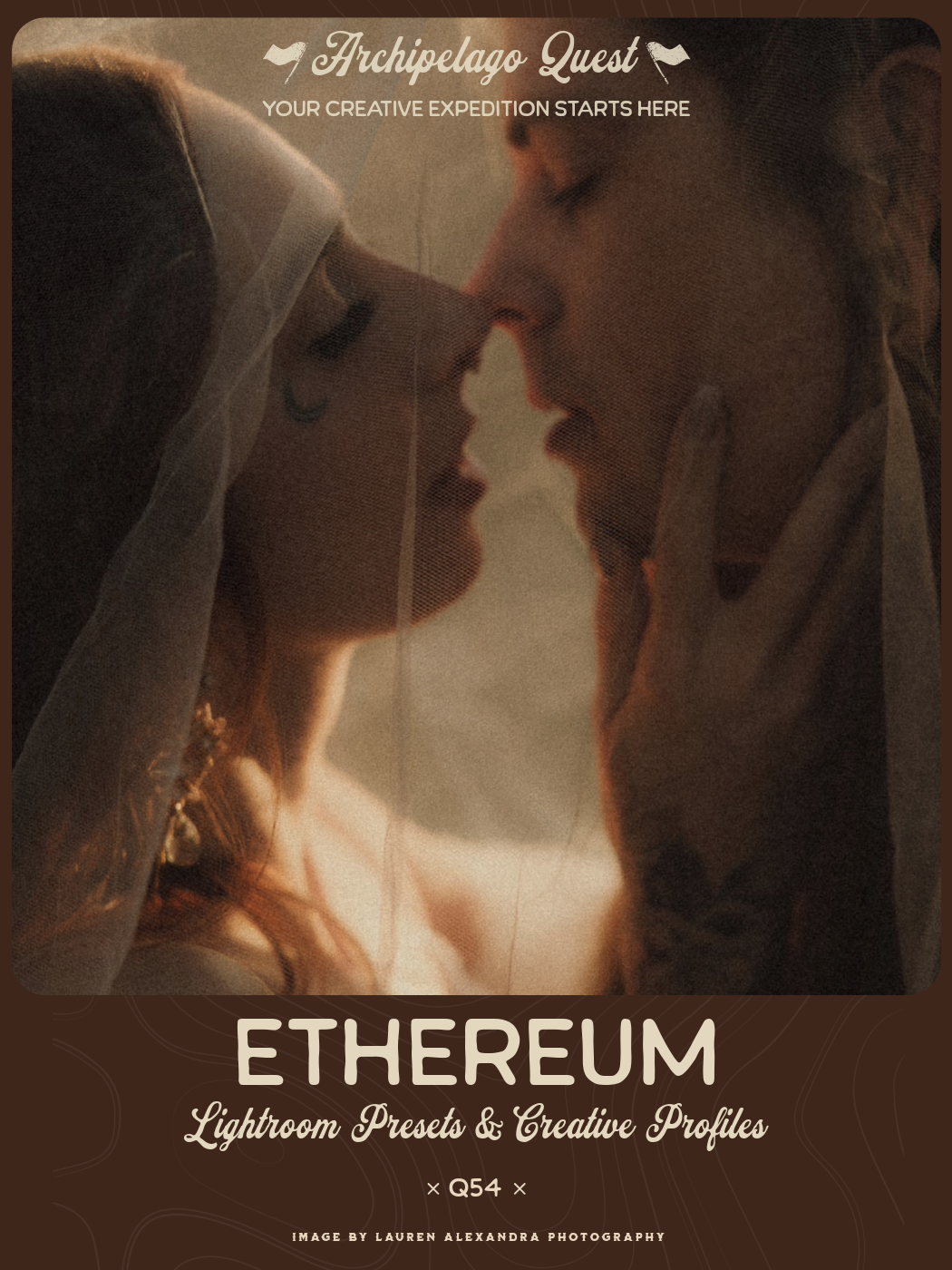
Ethereum is a romantic, atmospheric Lightroom preset collection crafted for the stillness of winter and the quiet poetry of overcast days. These presets deepen the frame with gentle richness, drawing out emotion through elegant shadows and soft, luminous highlights.
A warm, subtle fade threads through the color grades, giving skin and fabric a tender glow while preserving the natural depth of the scene. Ethereum Lightroom presets balance modern clarity with a timeless, vintage-inflected character—letting you shape images that feel intimate, cinematic, and quietly expressive. Ethereum includes a curated trio of tools designed to shape the character, depth, and mood of your edits with distinct yet complementary aesthetics.
Sable Crafted for deep mood and quiet emotion, Sable infuses your images with soft diffusion and a tender falloff that feels cinematic and intimate. It gently smooths contrast and carves out atmosphere, perfect for deep winter light or any moment that calls for subtle drama.
Epoch A modern, refined rendering designed to elevate clarity while preserving the artistic character of your grade. Epoch adds crispness, definition, and a sense of dimensionality—ideal for photographers who want a contemporary finish without sacrificing tone or depth.
Fallow An aged, nostalgic treatment that brings texture, patina, and a generous layer of film-inspired grain. Fallow leans into vintage charm with softened highlights and organic grit, giving your work the timeless, lived-in feel of an archival print.
Designed for visual narrators who want their work to breathe with presence and understated romance, shaping images that linger long after they’re seen.
Moody and cinematic meet clean and modern tonality in Ethereum, with tools to add extra depth or subtract it for a crisper look.
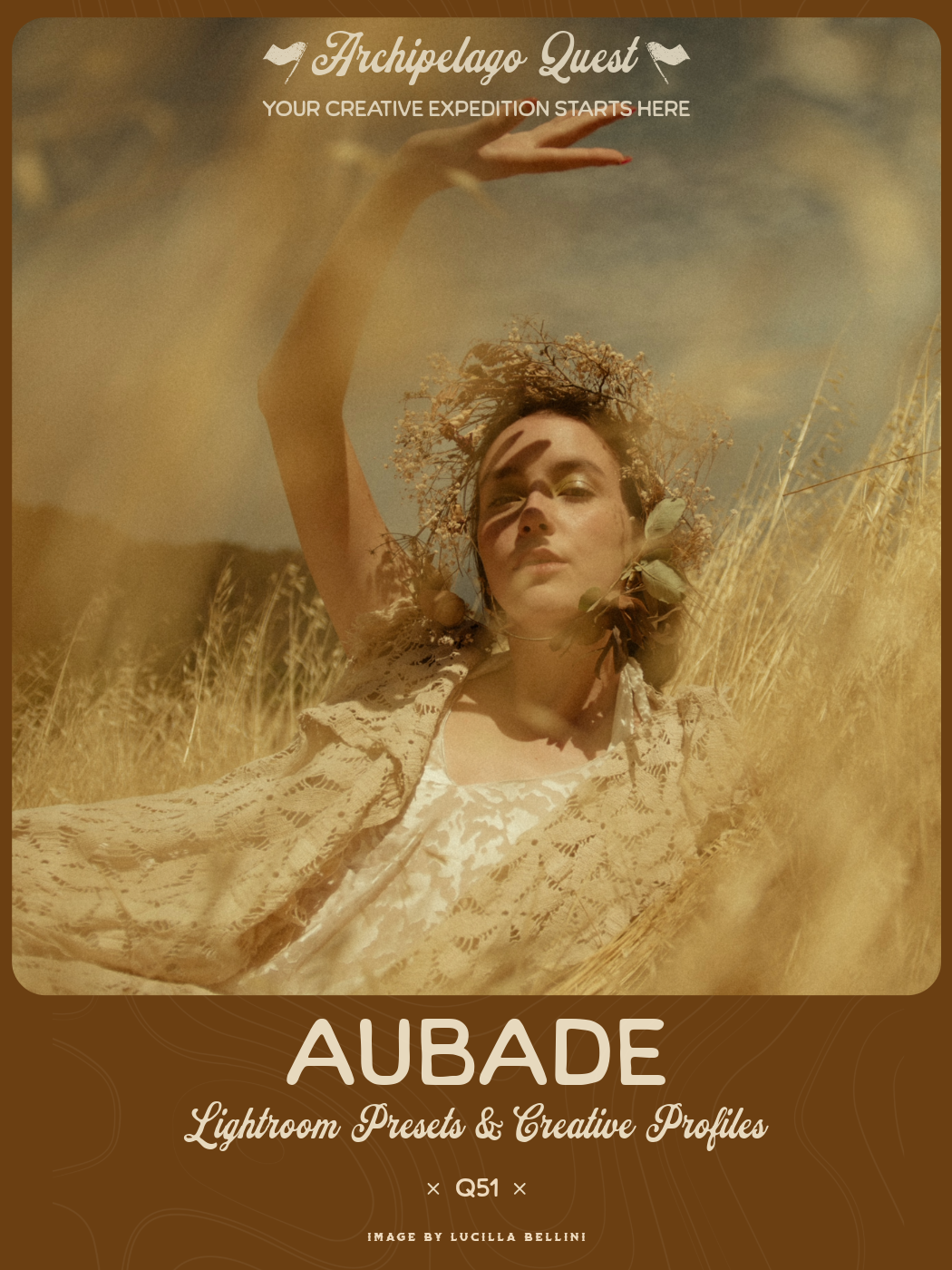
Aubade is a dark, rich, cinematic preset collection with earthy warmth and a distinctive creative style. Built for depth, mood, and storytelling, it includes three grading presets—two in atmospheric color and one in timeless black & white.
To extend its creative range, Aubade also features three unique tools, each designed to transform tone, texture, and ambience in distinctive ways:
Gossamer – Softens and diffuses your image with blooming highlights and gently faded detail.
Vestige – Adds a vintage patina with grain, reduced detail, and a subtle aged character.
Inkwell – Deepens blacks, refines detail, and introduces a subtle vignette for added focus.
Whether working in warm shadow or gentle light, Aubade brings a cohesive, cinematic finish that’s as versatile as it is distinctive.
The trending “warm yellow filter” look with a distinctive dreamy aesthetic. Reduce the Aubade Creative Profile to bring back more neutral hues while maintaining the unique vibes.
Image by Gail Secker Photography
Edited with Quest 51 Aubade, Gossamer
We’ve got a tool for that
Lightroom toolsets that can replace physical lens diffusion filters or add weather effects in post.

Soften the Scene. Elevate the Story. Introducing Quest Tools 11 – Diffusion Filters, a powerful Lightroom toolset designed to authentically replicate the signature look of the industry's most beloved physical diffusion filters.
Built for photographers and visual storytellers who crave the dreamy glow, subtle halation, and cinematic softness of pro-grade optics, this toolset features 16 individually crafted presets, each utilizing advanced Lightroom masking layers for precision control and creative flexibility.
Carefully tuned to emulate the characteristics of real-world filters, Quest Tools 11 includes faithful recreations of:
Black Pro Mist – Adds a soft, glowing effect to highlights while preserving detail in shadows.
CineBloom – Reduces contrast and adds an even softness across the frame.
Gold Diffusion – Softens detail and contrast while introducing a warm, atmospheric tone.
Low Contrast – Flattens tonal range and subtly reduces clarity for a muted look.
Digital Diffusion – Introduces gentle softness and smooth texture with a clean, modern feel.
Whether you're chasing the cinematic glow of golden hour, softening digital sharpness, or enhancing the mood of a scene, Diffusion Filters delivers tactile, lens-grade effects—right inside Lightroom.
Keep your lens filters at home and add glowy, dreamy diffusion in Lightroom with this toolset!
Image by Dora Le Thien
Image by Dora Le Thien
Edited with Quest 54 Ethereum, Epoch, and Digital Diffusion 2 from Quest Tools 11 - Diffusion Filters
Image by Foggy Stories
The Atmospheric Toolset presents a comprehensive collection of atmospheric tools for Adobe Lightroom, thoughtfully curated from previous Quest releases and now united within a single, versatile toolkit.
Featuring 32 Lightroom tools organized into five distinct categories — Soften, Weather, Sky, Overlay, and Lighting — this collection provides everything you need to craft mood, depth, and drama within your images. Alongside familiar favorites, the set introduces the brand-new Rainfall tool, expanding creative possibilities for shaping atmosphere and emotion across any scene
Painterly and dreamy photography is all about evoking emotion, turning ordinary scenes into something poetic and timeless. With these Lightroom presets, you can infuse your images with softness, depth, and that signature touch of magic that feels straight out of a dream. Whether you prefer warm, glowing tones or misty, ethereal light, these presets make it easy to create edits that feel both artistic and intentional. So go ahead. Experiment, blend styles, and let your creativity guide you as you craft edits that look as if they were painted by light itself.
What is your favorite painterly preset to edit with? Tell us in the comments!